AI productivity coach · iPhone

Big goals, broken into days you can do.

Plenvo keeps your tasks, goals and habits in one calm place, with a Coach that plans with you and updates your day when you ask.
Coming soon to the App Store iPhone · iOS 17 or later
  • Data stays on your iPhone
  • Type or hold to talk
  • No ads or tracking
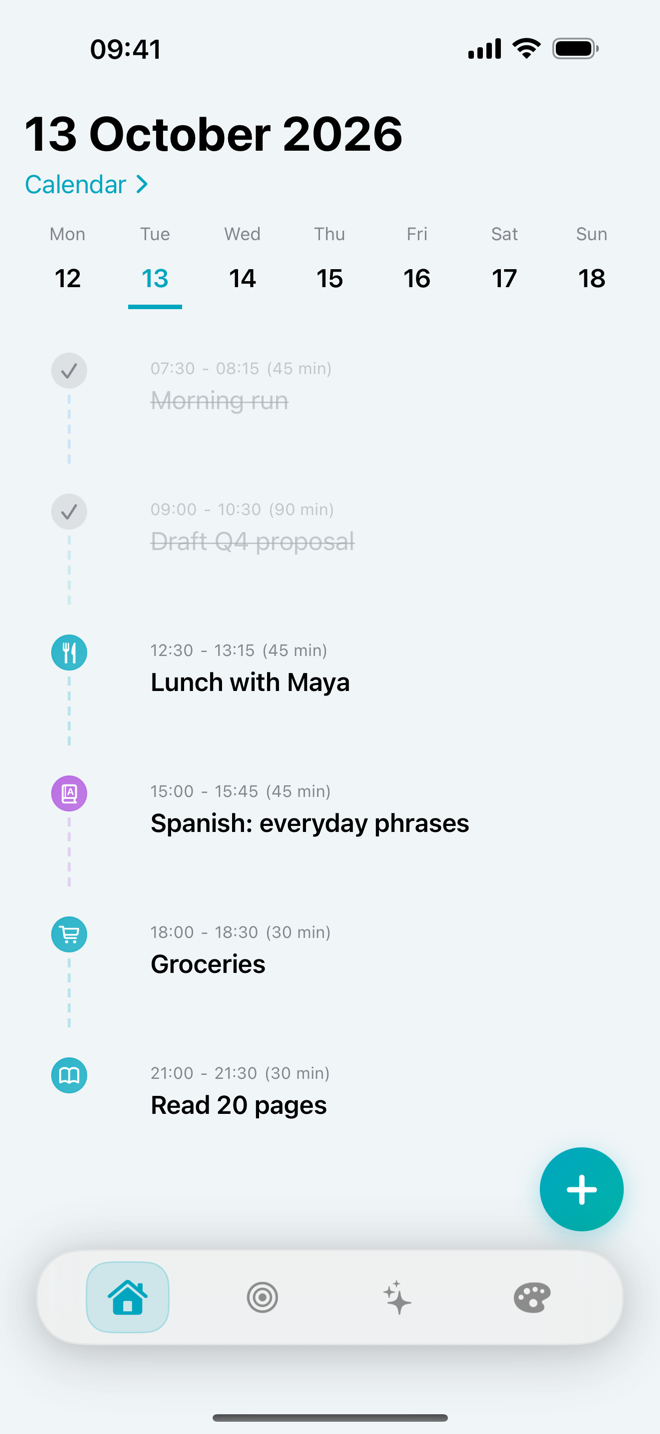
Plenvo Home screen: today’s timeline with a morning run and a proposal draft completed, and lunch, Spanish practice, groceries and reading still to do
The Coach

Say it the way you’d say it to a friend.

The Coach reads your tasks, goals and habits, so it answers with your real schedule in mind. It can also make the change for you.

You say Don’t forget groceries after work
COACH ADDS
Groceries · Today

Quick captures become tasks with a time, without opening a form.

You say Move my overdue tasks to tomorrow morning
COACH PROPOSES
Reschedule 3 tasks to tomorrow, 9:00
CancelConfirm

Changes to several tasks at once wait for your OK.

You say Delete the dentist task
COACH ASKS FIRST
Delete “Dentist”?
Keep itDelete

Nothing is deleted without your confirmation.

It knows your day

Ask “What should I do next?” and the answer comes from your real tasks, goals and habits, including what’s overdue.

Hold to talk

Press and hold the + button anywhere on Home, speak, and let go. Voice changes show a confirm chip, and Undo is there for a few seconds after.

A weekly review

Each week the Coach looks back at what you finished, what slipped and what to change next week.
From goal to calendar

The Coach turns a goal into sessions on your actual week.

  1. Tell it the goal and when you’re free.“Learn Spanish basics in 4 weeks, 30 minutes on weekday evenings.”
  2. It drafts milestones and sessions.Four milestones in a sensible order, each broken into short sessions.
  3. It places them in your free time.One session a day, inside the hours you gave, milestone by milestone, finishing before your deadline.
  4. You approve, and they’re on your days.The plan shows when its sessions land before you accept. Once approved, each one appears on Home with a reminder 15 minutes before.
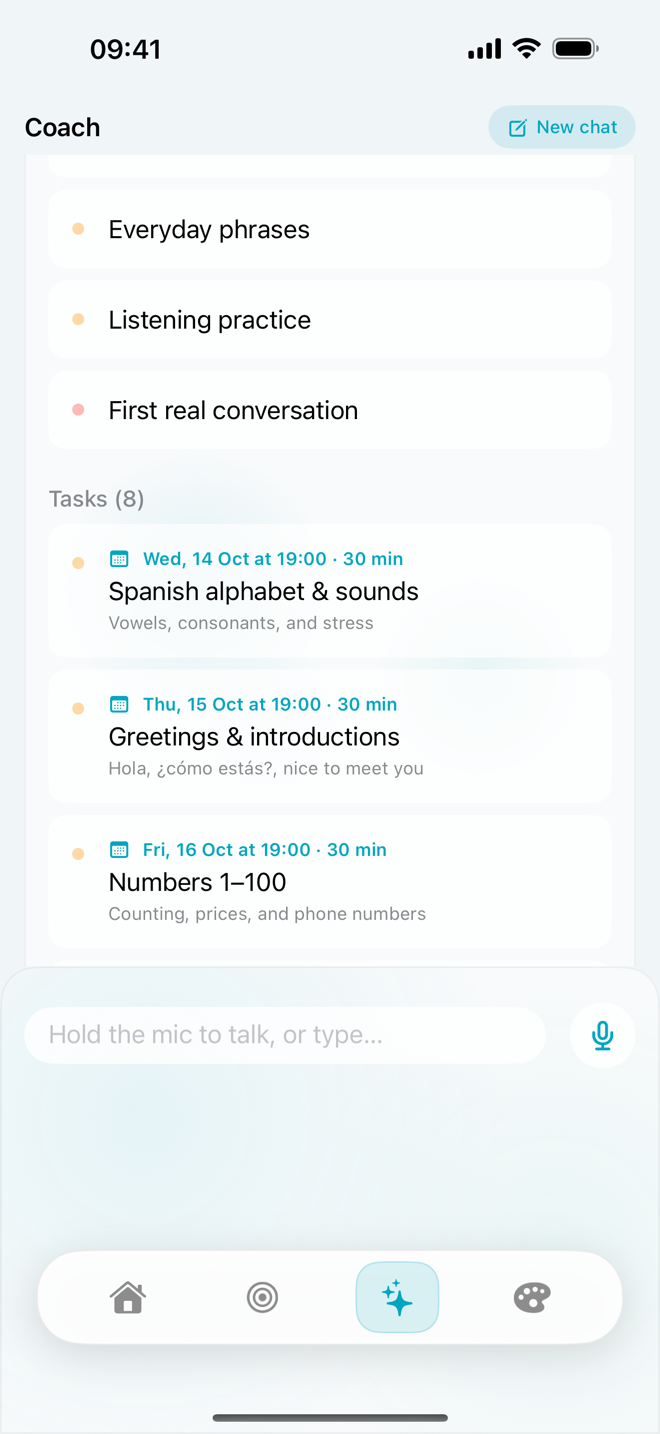
Plenvo Coach showing a Spanish plan: milestones, then tasks scheduled Wednesday, Thursday and Friday at 19:00 for 30 minutes each

The plan in the app, before you approve it

Learn Spanish basics20 sessions · 4 weeks
Weekdays · 19:00–21:00 · 30 min
WK 1Basics and pronunciation
  1. ABCs
  2. Vowels
  3. Hola
  4. 1–100
  5. Review
WK 2Everyday phrases
  1. Café
  2. Maps
  3. Shops
  4. Chat
  5. Review
WK 3Listening practice
  1. Podcast
  2. Song
  3. Scenes
  4. TV clip
  5. Review
WK 4First real conversation
  1. Intro
  2. Q&A
  3. Role-play
  4. Tutor
  5. Talk
Example plan. The Coach uses the days and hours you give it; weekends stay free here because the request said weekday evenings.
Inside Plenvo

Everything for the day, nothing you have to maintain.

A person at a desk with floating checkmark shapes
Tasks

A timeline for today, not an endless list.

See your day as it will actually happen, swipe right to complete, and get a reminder 15 minutes before anything with a time.

  • Repeat daily, weekly or monthly, and edit one or the whole series
  • Link tasks to a goal and a milestone
  • Overdue tasks surface on Home with a nudge from the Coach
A person beside stacked discs with flags, like steps toward a goal
Goals

Goals with milestones you can see filling up.

Write a goal in the SMART format, split it into milestones and attach the tasks that move it forward. Progress updates as you finish them.

  • Specific, measurable goals with a deadline
  • Ask the Coach to build the milestones and schedule for you
  • Reflect when you reach a milestone
A person by a window with two floating checkmark shapes
Habits

28 days to make it stick.

Each habit runs as a 28-day program: 21 days to build it and 7 to reinforce it. Tick it off once a day and watch the grid fill in.
  • Current streak and progress at a glance
  • Miss a few days and you can restart the program, no guilt
  • Log a habit by voice: “I meditated today”
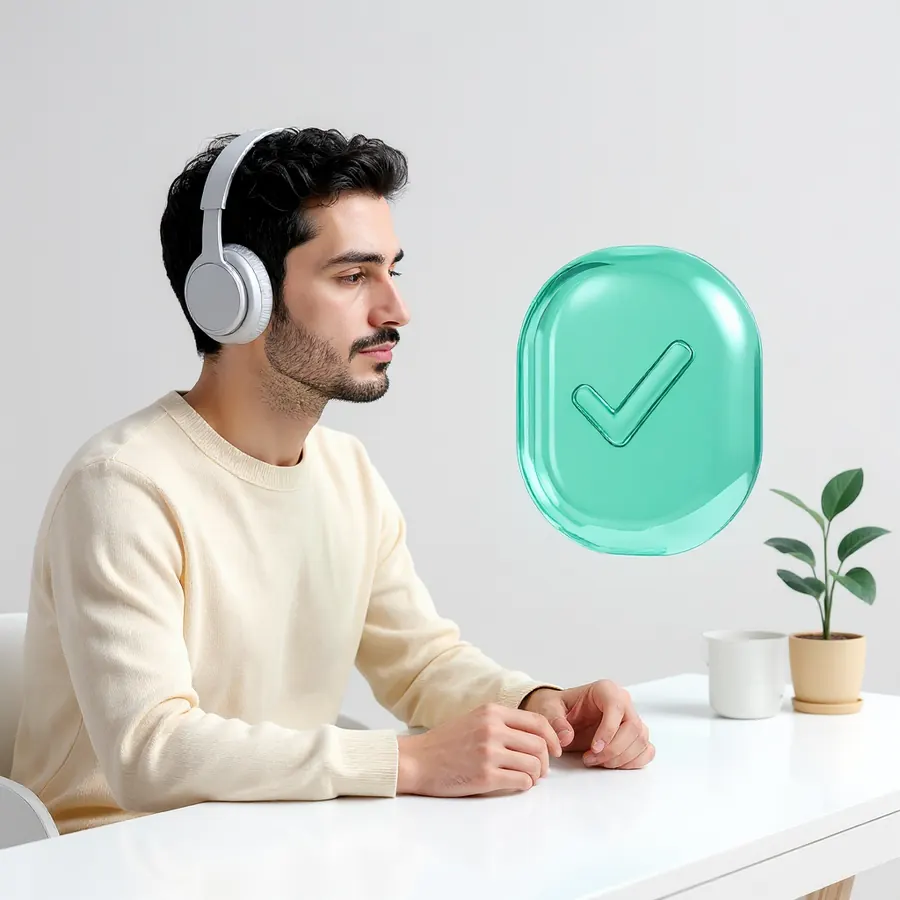
A person wearing headphones at a desk next to a floating checkmark
Focus

Deep work, then a real break.

Start a Pomodoro or a focus session on a topic you choose. Plenvo times your breaks and lets you know when a session ends, even with the phone locked.

  • Short and long breaks, with optional auto-start
  • Track focused time per topic
  • Ask the Coach to start one: “Focus for 45 minutes”
The Studio

Room to think, too.

Journal

Write about your day in a private journal that stays on your phone.

Reflections

Note what went well, what was hard and what you noticed, tied to a goal or milestone.

Weekly review

A summary of your week from the Coach, with suggestions for the next one.

Tips & resources

Short, practical reads on planning, focus and habits when you want ideas.

Privacy

Your plans stay on your phone.

Plenvo has no account to create and no server that stores your tasks, goals or journal. Here is exactly what leaves your device.

  • StoredTasks, goals, habits, journal and reflections live on your iPhone.
  • AI requestsWhen you use the Coach or Weekly Review, your message and the relevant context go to Google’s Gemini models to generate the answer.
  • VoiceSpeech is turned into text by Apple’s speech recognition. Plenvo doesn’t keep recordings.
  • AnalyticsAnonymous usage events only. No ads and no tracking across apps.
A person touching a glowing glass padlock
Pricing

One plan with everything.

No tiers and no features held back. Subscribe in the app through the App Store and cancel anytime in your Apple ID settings.

Plenvo PremiumMonthly subscription
One plan · billed monthly
  • Cancel anytime
  • Billed by Apple
  • Everything included
  • AI Coach by text or voice
  • Goal plans with milestones and scheduled tasks
  • Tasks, recurring series and reminders
  • 28-day habit programs
  • Focus sessions, journal and reflections
  • Weekly Review
Coming soon to the App Store

Payment is charged to your Apple ID. The subscription renews monthly unless you cancel at least 24 hours before the end of the period. See the Terms of Use.

FAQ

Questions people ask.

Anything else? Visit support.

Which devices does Plenvo run on?

iPhone with iOS 17 or later. There is no iPad, Mac, Android or web version yet.

Do I need an account?

No. There is nothing to sign up for. The app connects to the AI service with an anonymous ID that isn’t linked to your name, email or Apple ID.

Does it sync between devices?

Not yet. Your data is stored on your iPhone and included in your iPhone backup, so restoring a backup to a new phone brings it with you.

Can the Coach change my data without asking?

It creates and updates tasks when you ask it to, and tells you what it did. Deleting anything, changing several tasks at once and adding a full goal plan always wait for your confirmation. Changes made by voice show a confirm chip first.

Does the Coach work offline?

The Coach and Weekly Review need an internet connection. Everything else, including tasks, goals, habits, focus sessions and your journal, works offline.

How do I cancel my subscription?

In Plenvo, go to Studio → Settings → Manage subscription. You can also cancel in iPhone Settings → your name → Subscriptions.

Start with one goal. Plenvo helps with the rest.

Coming soon to the App Store